
The new and exciting addition of Instagram is its creative feature that is going to transform the way users will be dealing with multi-image or multi-video stories. The popular social media platform has announced through its Creator feature that the new Instagram Multiple Captions Feature will use the “Multiple Captions on a Carousel” framework on a global level, including India.
So far, when users were posting carousels or monthly photo dumps on their profile, they had many restrictions related to their unified text caption option. It was because of this restriction that users were writing long and boring walls of text in which they were describing each slide of the carousel using one caption..
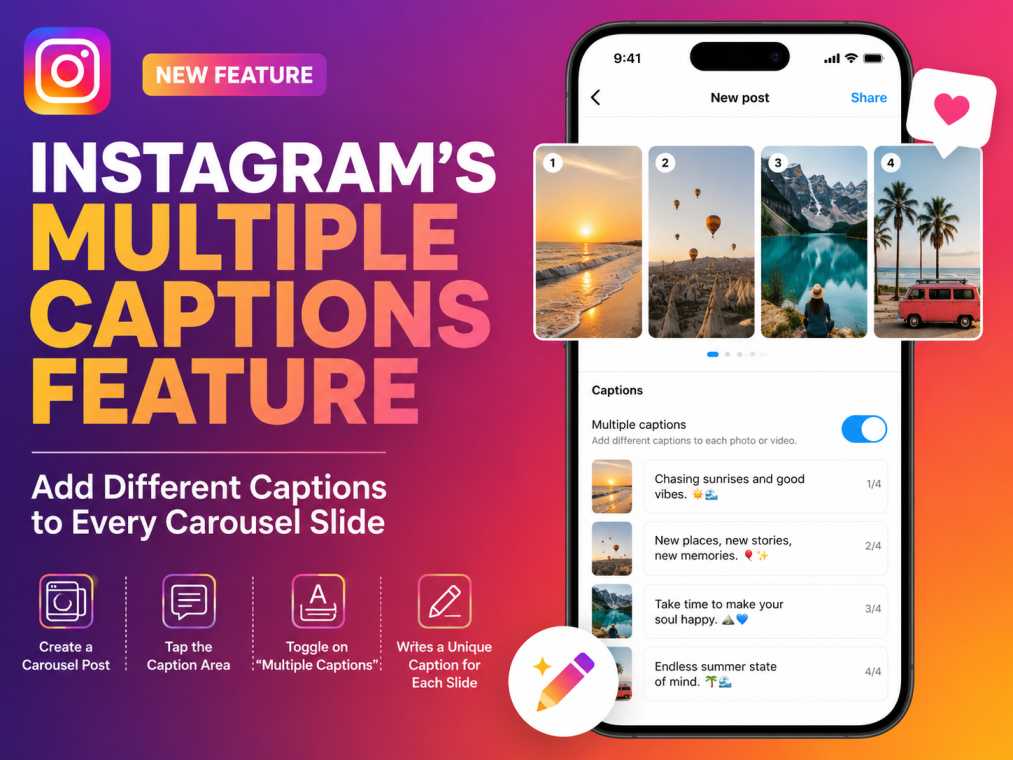
Why Is This Feature a Game-Changer for Creators?
The implementation of descriptions per slide finally solves the creative block that has existed on the application for ages. Gone is the time when people had problems connecting the textual representation with the visual media asset, as the information seamlessly transitions along with the swiping process
Key Structural Benefits:
- Contextual Understanding: Educational channels, brands, and tutorial accounts can finally have step-by-step guidance presented right next to the image or the clip in question.
- Vivid Photo Dumping: Common users can finally add some story to their vacation photos, memes, or monthly recap slides.
- Improved Accessibility: Screen readers and other assistive devices will be able to analyze descriptions for particular files better.
Step-by-Step Guide: How to Add Different Captions to Every Slide of a Carousel
The function works based on an easy native toggle switch found within the usual publishing process. Please use the following instructions to enable this functionality on your smartphone:
- Start the Creation Pipeline: Launch the Instagram application and pick the option of creating a Feed Post. You will need to add several photos or videos to begin your carousel creation.
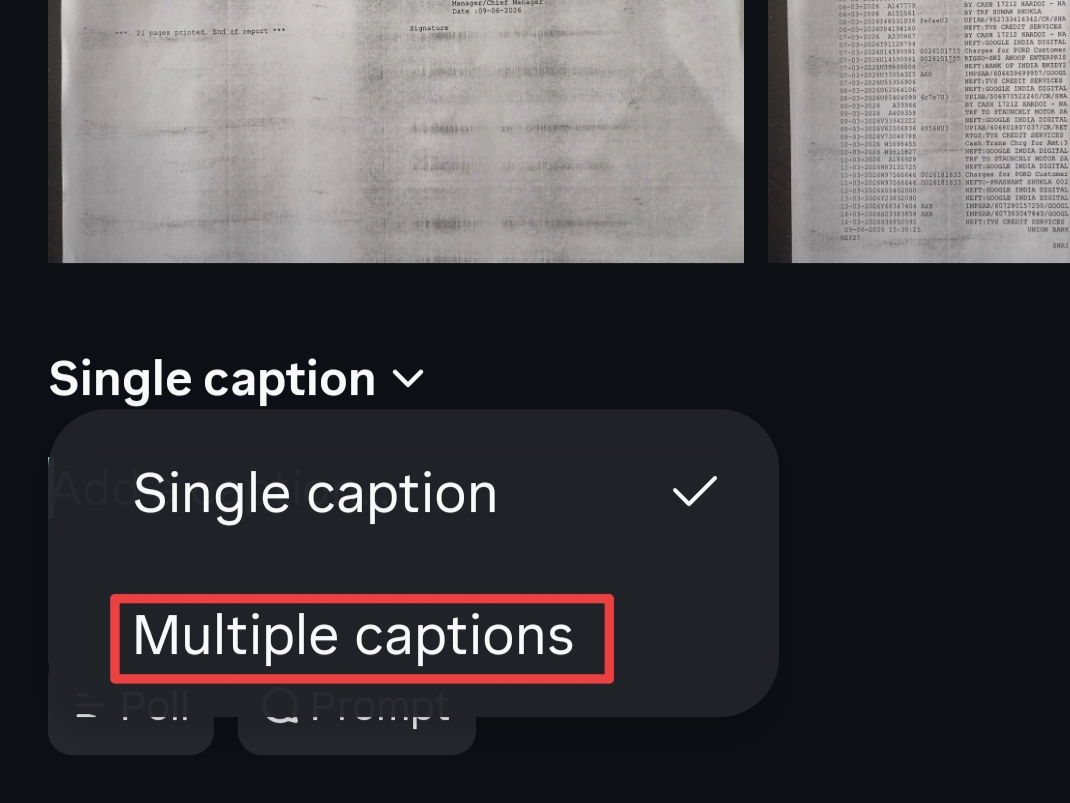
- Enter the Text Settings: Get to the last metadata settings menu and click on the field called “Add a caption”.
- Switch on Multiple Captions: Within the caption editing interface, look for the default setting toggle (with “Single Caption” selected by default) and change the setting to “Multiple Captions”.
- Create Your Own Captions: Just type in your text for the first slide, and you can simply swipe left within the settings menu to get through the other slides and add text blocks. In case you do not have anything specific to say about a certain picture, you can leave that box blank.
Instagram Multiple Captions Profile Breakdown
| Regulatory Parameter | Official Feature Deployment Metrics |
| Official Feature Title | Multiple Captions on a Carousel |
| Rollout Status | Fully Live & Active (Commenced June 19, 2026) |
| Primary Platforms | Instagram Mobile App Ecosystem (Android & iOS) |
| Core Function | Replaces single-caption limit with slide-specific text boxes |
| Best Used For | Educational guides, travel recaps, photo dumps, product showcases |
| Ecosystem Availability | Rolling out globally; available immediately for accounts in India |
My Opinion: A Simple Toggle with Massive Engagement Potential
From the perspective of digital growth and algorithms, this is possibly the best UX update Instagram has ever done. Carousel posts have already been proven through statistical analysis that such posts generate way higher engagement and retention from users on the main feed in comparison to single image posts.
Allowing individual layers of text to vary depending on each individual swipe makes Instagram provide creators and brands with a very efficient tool to increase their Average Session Watch Time by an impressive margin. Moreover, this will also allow maintaining the feed UI neat and stylish without any visual pollution. The only drawback here is that users will have to spend a lot more time working out how to use multi-layered captions—but it is definitely worth the effort!
Frequently Asked Questions (FAQs)
What is the new Instagram Carousel Caption update?
The new update allows users to break past the single-description limitation on multi-media posts, enabling a completely separate and unique caption field to populate for every single slide within a carousel post.
How do I activate multiple captions on my Instagram post?
When creating a multi-image carousel post, tap the caption box on the final sharing screen, switch the configuration toggle from “Single Caption” to “Multiple Captions,” and type your individual slide notes page by page.
Is the multiple caption carousel feature available in India?
Yes, the platform officially initiated the broad rolling framework for the update this week, and the multiple caption toggle tool is now actively functional for accounts across India.
Can I choose to leave some slide captions blank in a carousel?
Absolutely. If you activate the multiple captions toggle, you can choose to write text descriptions for your primary slides and leave secondary or companion media panels entirely blank as needed.
Read Also: Android 17 Features